


Easy Voice Recorder
4.736.54K Reviews
App Specs
- Version
- Varies with Device
- Updated On
- License
- Free
- Downloads
- 50,000,000+
- Developer
- Digipom
- Categories
- Productivity
- Platform
- Android, iOS
Screenshots
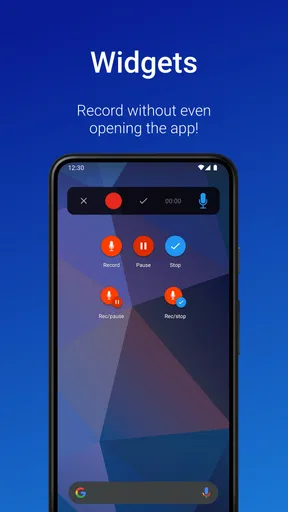
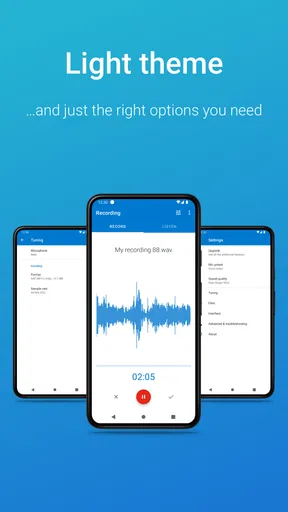
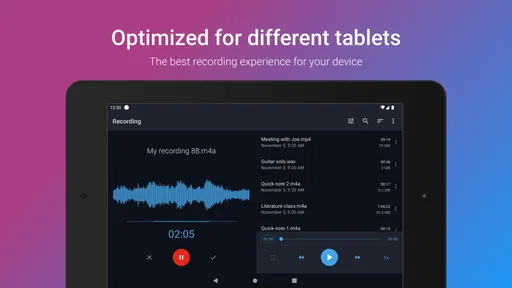
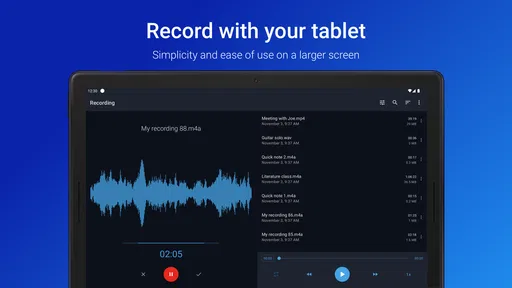
 Analysis by AppCompare
When I need to capture a thought before it disappears, I prefer a recorder that gets out of the way. That is the main reason Easy Voice Recorder has stayed useful to me: its central job is clear, and the experience is built around starting a recording without turning a simple note into a project. It is a free productivity app from Digipom, rated for Everyone, and it has become one of the more familiar choices for people who want a practical voice recorder on Android.
I tested it with the mindset of someone who records short reminders, spoken ideas, conversations that I am allowed to capture, and occasional longer audio. My overall impression is straightforward: this is strongest when speed and simplicity matter more than studio control. It is not trying to replace a full audio workstation, a dedicated interview kit, or a serious music-production setup. Instead, it gives everyday users a focused way to preserve sound and revisit it later.
Why the simple recording workflow matters
The important capability here is not merely that the app records audio. Plenty of phones already include a basic recorder. The useful difference is having a familiar place for recordings that can be opened quickly, managed separately from unrelated files, and used repeatedly without learning a complicated interface. In my experience, that lowers the small amount of friction that often causes people to postpone recording until the moment has passed.
That matters for several types of users. A student can speak a rough explanation of a difficult topic instead of typing every thought. Someone working from home can save a spoken task reminder while moving between rooms. A musician can capture a melody before it is forgotten. A family member can preserve a personal message. None of these situations needs an elaborate editing timeline; they need a dependable first step.
The app’s position in the productivity category makes sense because the recording is usually a means to another task. I might use a clip as a memory aid, listen to it while preparing notes, or keep it as a reference for a later action. That is different from opening a music app for entertainment. The value comes from converting a moment of speech or sound into something I can return to when my attention is available again.
One practical habit improved my results: I started treating every recording as a small document rather than an anonymous audio file. I gave it a name that included the subject and purpose, such as “ideas for weekend project” or “lecture question.” This sounds minor, but clear naming becomes important surprisingly quickly. A recorder is only useful later if I can identify the right clip without playing several similar files.
The real strength is reduced hesitation. When the interface presents recording as the obvious action, I am more likely to capture a fleeting idea instead of trusting my memory. That effect is easy to overlook in feature comparisons, yet it is often more valuable than a long list of advanced controls for ordinary use.
Worth Reading Before You Choose

EA SPORTS FC Mobile 26 Is a Bigger Football Game, but It Takes Time

Flipboard Shows What News Apps Must Do Beyond the Feed

Switching to Android Auto Means Rethinking Your Driving Routine

Google Calendar Makes a Crowded Week Easier to Manage

Ludo King Makes the Most of the Minutes Between Plans

Baby Panda World Brings Quick Play to Modern Phones, but Its Game Library Feels Busy
Starting a recording without overthinking it
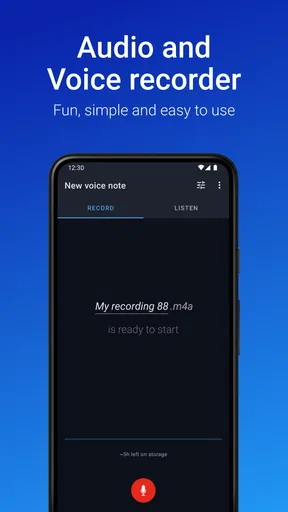
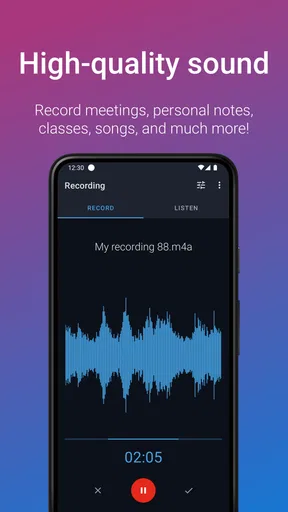
In normal use, I open the app, choose the recording action, and speak. The workflow feels appropriate for short entries because it does not force me to prepare a project first. I can focus on what I am saying rather than on technical decisions. For a quick reminder, that is exactly what I want from a mobile recorder.
I also found it useful to pause for a second before speaking. That small gap makes the beginning easier to understand and avoids cutting off the first word if I tap the control while settling the phone. At the other end, I leave a moment of silence before stopping. These are simple recording habits, but they make playback less abrupt and reduce the need to edit later.
For longer audio, I recommend a different routine. Before pressing record, I check that the phone is stable, move away from obvious sources of noise, and decide what the file should be called. I also avoid treating the phone’s microphone as if it were a professional microphone. The app can make recording convenient, but it cannot remove every problem caused by distance, wind, traffic, a loud air conditioner, or people speaking over one another.
This is where expectations matter. A clean room and a speaker who stays reasonably close to the phone can produce a useful result. A crowded café or a large room with echoes is much less forgiving. If the recording is important, I place the phone on a steady surface and keep the microphone unobstructed. A case, a hand covering the lower edge, or fabric rubbing against the device can affect the result more than a settings change would.
Turning recordings into something usable
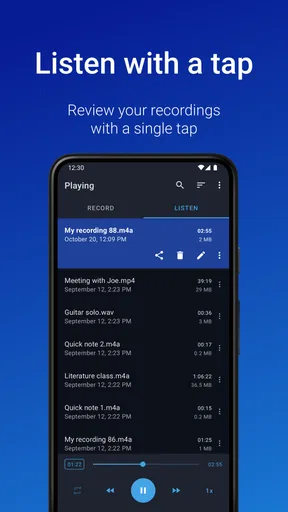
Recording is only half the workflow. The other half is finding, listening to, and acting on what I captured. I use short names that answer two questions: what is this, and why did I save it? For example, “client questions” is more useful than “recording 7,” while “guitar chorus idea” is better than a timestamp alone. This naming approach is especially helpful when I make several clips during the same day.
For spoken notes, I keep the message focused on one subject. Instead of recording a long stream of unrelated thoughts, I stop after each idea and begin another clip when the topic changes. That creates more files, but each one is easier to replay, share, or delete. It also makes the recorder work more like a lightweight voice notebook.
A useful trade-off appears here. A single long recording is convenient during a lecture, meeting, or interview, because I do not need to interrupt the speaker. Separate short recordings are better for personal reminders and idea capture. I would not use one method for everything. The right choice depends on whether continuity or later organization is more important.
When I need written notes, I do not assume that an audio recorder will replace transcription. I listen back and write the essential points myself, or use another tool when transcription is the actual goal. That extra step is a limitation for anyone expecting a complete speech-to-text workspace. Easy Voice Recorder is best understood as a capture tool first, not as an all-in-one system for turning every conversation into polished text.
A realistic everyday scenario
Imagine leaving a meeting with three useful ideas and no time to type them. I would open the recorder while walking somewhere quiet, make one short clip for each idea, and label them immediately. Later, I could replay the clips while writing a task list. The benefit is not that the app performs the entire organization process; it is that it preserves the details before they blur together.
For studying, I would use it selectively rather than recording every class automatically. A full lecture can create a large amount of audio that is difficult to review. A better workflow is to record a personal explanation after reading a complicated section, then listen to that explanation while revising. I can hear where my understanding is uncertain, return to the source material, and record a clearer version. In that case, the app supports active learning instead of becoming an audio storage bin.
For creative work, I find the recorder particularly useful at the beginning of a process. A lyric fragment, a rhythm tapped on a desk, or a spoken outline can be saved immediately. I would not expect the app to provide the detailed editing, mixing, or effects found in specialized audio software. Its role is to protect the initial idea. Once the idea proves worthwhile, I can move it into a more suitable tool.
Where the trade-offs become clear
The simplicity that makes the app approachable also limits how far I would push it. People who need precise waveform editing, multitrack recording, advanced noise treatment, or detailed production controls should look toward a dedicated audio application. A recorder designed for quick capture is not automatically the right choice for a podcast studio or a music project.
There is also a difference between capturing audio and managing an archive. If I record frequently, I need my own system for naming, reviewing, backing up, and deleting old clips. The app can be useful at the capture stage, but no recorder can decide which personal memories, work notes, or unfinished ideas still matter to me. Without occasional cleanup, even a well-designed recording list can become difficult to navigate.
Privacy requires common sense as well. I only record people or situations when I have the right to do so, and I avoid treating the phone as an invisible recording device. For sensitive work, I would also think carefully about where the resulting audio is stored and who can access the phone. The app’s convenience should not replace consent or responsible handling of personal conversations.
Another limitation is environmental sound. If I am recording near traffic, fans, or several competing speakers, the final clip may be understandable but tiring to follow. Moving closer to the main speaker usually helps more than repeatedly changing options. In a formal interview, I would use an external microphone or dedicated equipment if the recording quality could affect the outcome.
The free price makes it easy to try, while optional in-app purchases range from around one dollar and fifty cents to about five dollars per item. I see that as a reasonable arrangement for someone who wants to begin without paying upfront, but I would still check which functions are included in the free experience before building a professional workflow around it. Casual users may never need anything beyond the basic recorder; heavier users should decide whether the additional purchase is worthwhile for their specific routine.
How it compares with the usual alternatives
The first alternative is the recorder already installed on a phone. That option can be perfectly adequate if I only make occasional clips and do not care about a dedicated recording habit. Easy Voice Recorder becomes more appealing when I want a consistent productivity tool rather than a feature I rarely remember exists. Its focused identity encourages repeated use.
The second alternative is a notes app with voice features. Notes apps are often better when text, checklists, images, and audio need to live together. I would choose one of those when the recording is just an attachment to a larger written project. I prefer this app when the audio itself is the main item and I want to begin with speaking instead of typing.
The third alternative is a professional audio editor. That is the better choice for precise trimming, layered tracks, production work, and detailed sound treatment. The advantage of Easy Voice Recorder is not technical depth; it is the shorter path from thought to saved audio. Choosing between them depends on whether the priority is immediate capture or controlled post-production.
There are also transcription-focused tools. They are more suitable when the final result must be searchable text, meeting minutes, or a written draft. I would use a recorder first when the tone, pauses, pronunciation, or original voice matter, or when I do not want to interrupt a thought by correcting text as I speak.
Who will gain the most from it
I think the app suits students who want spoken revision notes, professionals who need quick reminders, creators who capture ideas away from a desk, and anyone who regularly says, “I’ll remember that later,” only to forget. It is also approachable for family members who want to save personal messages without learning a complicated audio interface. The Everyone content rating supports that broad, everyday audience.
Its long presence on mobile and its scale of adoption also suggest that it has become a familiar option rather than a niche experiment. It was released on February 15, 2012, and currently shows a 4.7 average from around 622 thousand ratings, with over 50 million installs. Those figures do not replace personal testing, but they help explain why the app is easy to encounter when looking for a straightforward recorder.
I would skip it if my main requirement is automatic transcription, advanced sound design, synchronized collaborative editing, or a carefully engineered recording chain. I would also hesitate to use it as the sole solution for legally sensitive interviews, critical field recordings, or any project where professional audio quality is non-negotiable. In those cases, the convenience of a phone app is less important than specialized equipment and a controlled workflow.
For everyone else, I recommend starting with one specific habit instead of trying to record everything. Use it for ideas, study explanations, or short task reminders for a week. Name each clip clearly, keep topics separate, and review the recordings at a planned time. That approach reveals whether voice capture genuinely fits your routine and prevents the app from becoming a drawer full of forgotten audio.
My final view is favorable, with sensible boundaries. Easy Voice Recorder succeeds because it makes the first action—saving a voice or sound—feel uncomplicated. Digipom has created a productivity app that is most convincing in ordinary moments: a thought on the move, a reminder between tasks, or a creative spark that cannot wait. It is free to begin, available to an Everyone audience, and supported by a strong 4.7 average across around 622 thousand ratings. I would recommend it to a friend who wants a dependable voice notebook, while steering anyone seeking a full recording studio toward a more specialized alternative.
Pros
- Records in the background while you use other apps.
- Supports multiple audio formats for flexible file sharing.
- Quickly renames and organizes recordings after saving.
- Includes a clean interface that is easy for beginners to navigate.
- Useful for capturing lectures
- interviews
- reminders
- and personal notes.
Cons
- Some advanced recording features require the paid version.
- Audio quality depends heavily on your phone’s built-in microphone.
- Limited editing tools compared with dedicated audio editors.
- Long recordings can consume considerable storage space.
- Cloud backup and sharing options may depend on other installed apps.
FAQs for Easy Voice Recorder
What is Easy Voice Recorder used for?
Easy Voice Recorder is designed for recording voice, meetings, lectures, interviews, personal notes, and other everyday audio. During testing, its straightforward interface made it easy to start, pause, stop, and manage recordings without navigating complicated menus. It can also be useful for musicians who want to capture quick ideas, although it is primarily intended as a convenient mobile recorder rather than a full professional studio.
Is Easy Voice Recorder free to download and use?
The application can generally be downloaded and used without paying, but the free version may include advertising and fewer features than the premium edition. Depending on the platform and current app version, advanced options can require an in-app purchase or subscription. Before downloading, users should check the store listing carefully to confirm the available features, pricing, and whether the version offered matches their expectations.
Does Easy Voice Recorder work when the phone screen is turned off?
Yes, Easy Voice Recorder is intended to continue recording while the device is locked or the screen is turned off, which is useful for lectures, interviews, and longer sessions. However, recording behavior can depend on battery-saving settings, background restrictions, and the phone manufacturer’s software. For important recordings, it is wise to test the feature first and keep the device sufficiently charged.
What audio formats and recording quality does Easy Voice Recorder support?
Easy Voice Recorder offers recording-quality settings that allow users to balance sound clarity against file size. Depending on the operating system and edition, it may support common formats such as PCM, AAC, or AMR. Higher-quality settings are better for music and detailed speech, while compressed options save storage space. Available formats and controls can vary between Android and iOS versions.
Can recordings from Easy Voice Recorder be shared or backed up?
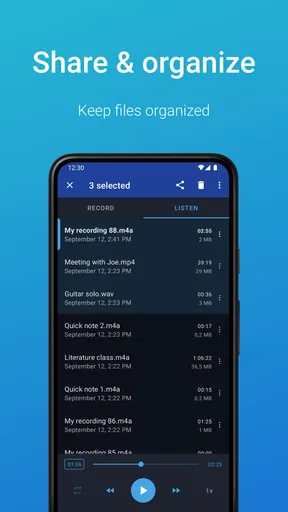
Recordings can typically be played back, renamed, organized, and shared through the phone’s standard sharing tools, including messaging, email, cloud storage, or other compatible applications. Users should remember that recordings are usually stored locally unless they manually export or synchronize them. To avoid losing important audio after deleting the app, changing phones, or experiencing storage problems, create a backup as soon as possible.


